
剪藏#AI数字探索家#剪藏
【实用教程】手把手教你搭建Rustdesk服务器
2025 年 7 月 31 日 约 1 分钟
大家好,我是AI数字探索家。上一篇不是写远程桌面的方案是:Tailscale+RDP,虽然勉强能用但是,用起来还是不太满意。所以我准备自己搭建Rustdesk中继服务器。
需要哪些准备或者清单:
一台云服务器2C4G宽带5M,域名(可要可不要)
1panel管理面板
两台电脑
步骤:
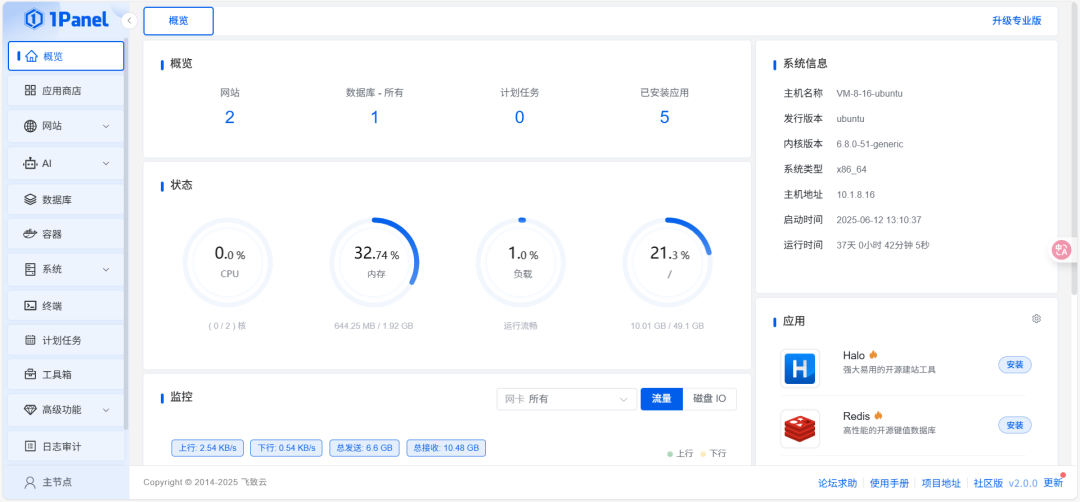
1、安装1panel管理面板
使用脚本一键安装
JAVASCRIPT
bash -c "$(curl -sSL https://resource.fit2cloud.com/1panel/package/v2/quick_start.sh)"安装好后,登录

2、安装Rustdesk
应用商店--搜索Rustdesk--选择安装

填入云服务器IP地址:

点击安装即可

TIPS:服务器一定要放行安全组
UDP:21116
TCP:21115-21119

3、安装Rustdesk

点击进入网站,右上角下载

进入下载页面,如果是Windows,选择exe或者msi,其他根据自己电脑情况进行下载。

安装完成后,打开Rustdesk界面

整体来说,界面相对于来说,比较干净简洁。对比一下todesk

4、配置rustdesk

配置中继服务器

打开1panel面板

进入data目录

复制key

ID服务器:公网IP地址:21116
中继服务器:公网IP地址:21117
key就是复制出来的key填入即可

点击确认
另外一台需要远程桌面的电脑进行同样的设置即可访问
5、测试访问

可以访问,延迟60ms以下,画质比较清晰,操作比较流畅。
结尾
说了这么多,大家也是各有所需,搭建Rustdesk这套方案适合我,不知道大家平时用Rustdesk还是其他工具?有没有踩坑经历或觉得好用的远程神器?欢迎评论区一起交流讨论,看有没有更优的好用方案推荐!